


.png)


Here at Dozuki, we emphasize the importance of creating visual work instructions, because we believe visual is always better.
However, visual documentation doesn’t stop with photos. Sometimes, a photo needs a little help in order to be more informative. Just as well, bulleted instructions aren’t always a one-size-fits-all solution for delivering important information to your readers.
Over the years we've helped create visual documentation for tens of thousands of assembly procedures, SOPs, and training materials—and we created a few features specifically designed to help you make documentation more visual.
Photo Markup
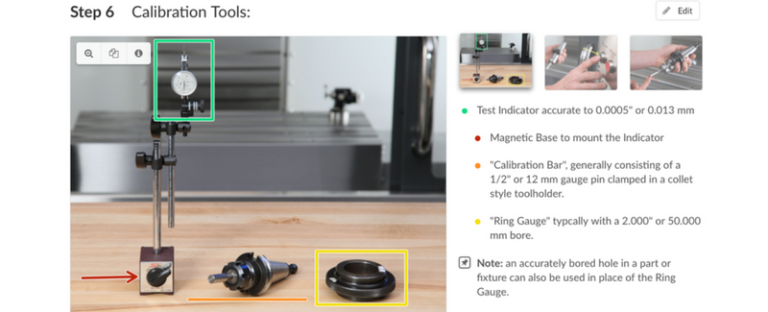
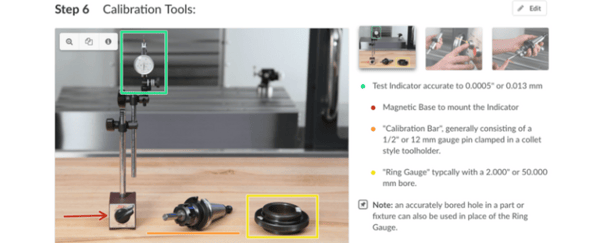
This simple tool lets you supplement your photos with additional information. Once your photos are in place, use the Dozuki markup system to highlight the location of any important items, such as the locations of specific screws or connectors.
How to Use Markups:
Dozuki markups offer a versatile yet standardized way to identify or highlight information directly on a photo. Use markups to highlight or distinguish important aspects of your photos that aren’t evident on their own.
How Not to Use Markups:
Don’t overuse it. Only add markups where it is necessary to point out information that is not otherwise obvious in the photo. In many cases, a well-composed photograph that is centered on the action won’t need any markup at all.
Pro Tip:
Use the markup colors in a consistent manner to increase standardization throughout your documents.
Special Bullets
These unique bullet styles help call out information and alerts to your users within your written documentation.
How to Use Special Bullets:
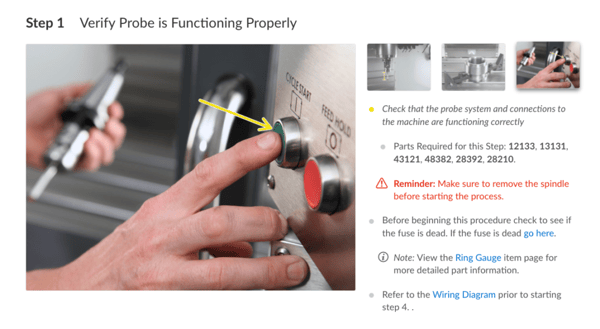
Use a colored bullet to match the color of any corresponding markup(s) on the image. Special bullets include:
- Caution: Warns users of something potentially hazardous to themselves or the device.
- Note: Provides information other than instructions which may be helpful in completing the repair.
- Reminder: Provides reassembly tips (anything that differs from simply reversing the existing steps).
- Custom: Dozuki supports the use of customized bullets, letting you further expand the bullet styles within your documentation.
How Not to Use Special Bullets:
Use special bullet types sparingly. Constant use can overwhelm your readers, making the special bullets ineffective.
Pro Tip:
Don’t write the words “Caution,” “Note,” etc. when using special bullets. The special characters already alert the reader to pay extra attention.
View our help documentation for more information:

Written by Dozuki
Dozuki is the leading Connected Worker Platform for industrial operations. Since 2011, Dozuki has helped thousands of manufacturing sites standardize processes, upskill their workforce, and capture real-time data to drive continuous improvement. With a focus on ease of use and enterprise-grade security, Dozuki is the...