KNOWLEDGE MANAGEMENT

Your best knowledge.
In every worker’s hands.

Turn expertise into clear, visual instructions. Keep standards current and give every team the knowledge to do the work with confidence.

Capture expertise. Control the standard. Put it to work.
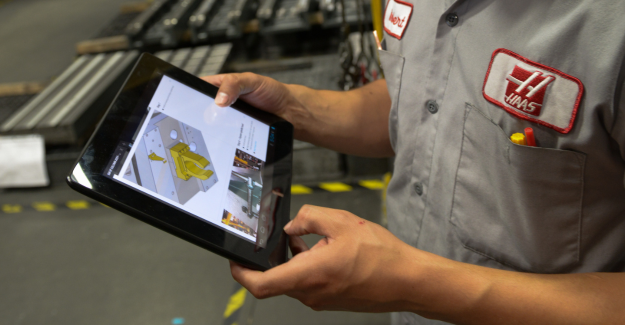
Manufacturing worker reviewing a component while holding a tablet
DGuard inspection
Approved guard inspection referenceSTEP 1 / 3

Check both fasteners

✓ CurrentView guide
The latest approved version.Revision 12 · North Plant

AI-Powered Knowledge Delivers

Standardized accessible knowledge delivers measurable improvements in quality, efficiency, and worker performance.
ArrowUp
75%
Faster Training
Plus
53%
OEE Improvement
ArrowUp
40%
Faster Process Creation
01 / DIGITAL WORK INSTRUCTIONS

Digital Work Instructions

Show the work.
Make every step clear.

Give people a shared reference for what good looks like. Bring photos, annotations, and step-by-step guidance together in the flow of work.

Make the details easier to teach and repeat.

A written instruction can name the task without showing the detail that makes it successful. Digital work instructions bring the reference image, important annotation, and action together at the relevant step. Workers can compare what they see with the approved standard, while trainers have a common reference for explaining the work across shifts and locations.

  • Rich media that makes the detail visible
  • Consistent steps across shifts and sites
  • Current, approved guidance at the point of use
Try the steps in the guide
DWork instructions
NORTH PLANT / LINE 4 / EQUIPMENT CHECK

Guard inspection

✓ Current
Revision 12 • Approved procedure
Machine guard with two installed fasteners
REFERENCE IMAGE
1
Two fasteners. One clear reference.
1
STEP 1 OF 3

Check both guard fasteners

Compare the upper and lower fasteners with the marked reference.

The approved standard, at the point of work.
02 / CREATORPRO AI

CreatorPro AI

Capture the expertise.
Give it a structure.

Turn expert demonstrations and existing documents into a draft your team can review, refine, and share. Preserve the knowledge that makes the work possible.

Give subject matter experts a stronger starting point.

The people who know a process best should be able to share that expertise without starting every document from a blank page. CreatorPro AI turns existing material into an editable draft. Authors can refine the sequence, confirm the details, and add the context a new worker needs before the guidance is approved for use.

  • Start with video or existing documents
  • Build a consistent, editable guide
  • Keep expert review before publication
Open the draft review
An expert demonstrating equipment operation while a colleague records the work
DCreatorPro AI
✦ CAPTURE EXPERTISE

The work becomes the guide.

MP4PDFDOCXPPTX
Line 4 changeover.mp4Source video · 02:14
↓
AI-GENERATED DRAFT

Line 4 Changeover

  1. Prepare the work area
  2. Inspect the drive guard
  3. Confirm the setup
Ready for review
✦ Forge AI · Human review built in
Knowledge Management / YOUR OPERATIONAL FOUNDATION

Preserve what your people know.
Standardize how your operation works.

Bring expert know-how, process documentation, and approved procedures into a shared knowledge foundation that teams can maintain and use across shifts, languages, and locations.

DGuard inspectionRevision 12 · Approved
NORTH PLANT / LINE 4Step 1 of 3 ◷ 00:00
Approved reference showing the upper and lower machine guard fasteners12APPROVED REFERENCE · REV 12
Upper fastener Lower fastener
✓ Current, approved guidance at the point of work.
01 / VISUAL GUIDANCE

Check both guard fasteners

Compare the installed guard with the approved reference. Match each numbered marker to the instruction below.

1Locate the upper fastener at the guard attachment point.
2Confirm the lower fastener is present in the marked position.
 
EXPERTISEMake critical knowledge reusable

Turn expert demonstrations and existing documents into visual, structured instructions. Give valuable know-how a life beyond the individual who holds it.

GOVERNANCEKeep the standard dependable

Connect ownership, version history, approvals, and scheduled releases so teams can maintain procedures as operations change.

ACCESSPut knowledge within reach

Help workers find and understand the relevant instruction through organized navigation, search, visual guidance, and language support.

03 / DOCUMENT CONTROL

Document Control

Improve the standard.
Keep control of the change.

Make ownership, approvals, and revision history visible. Teams keep working from the approved version while the next improvement moves through review.

Improve the process without losing the approved reference.

A useful standard needs an owner and a dependable path for change. Document control keeps the proposed update, review decision, and published revision connected. Process owners can develop the next improvement while workers use the current version, giving teams a clearer way to govern knowledge as procedures evolve across the operation.

  • A clear record of what changed
  • Accountable review before publication
  • One current version for your workforce
Approve, then publish the sample revision
DDocument control
GUARD INSPECTION / REVISION HISTORY

One controlled standard.

In review
CURRENTRevision 12Published · Sep 21
PROPOSEDRevision 13Updated reference photo
CHANGE SUMMARY

Step 1: a closer view of both fasteners.

+ Reference image+ Step clarification
Approval workflow1 of 2 approved
JR
Jordan ReedProcess owner
Approved
ML
Morgan LeeQuality reviewer
Pending
Revision 12 remains live during review.
 
Version history preserved
04 / WORKER ACCESS

Worker Access

The right knowledge.
Where the work happens.

Scan a QR code on equipment or at a workstation to open the relevant guide. Search, site context, and language options give workers more ways to reach the knowledge they need.

Spend less effort finding the starting point.

Place QR codes where the work happens so workers can go straight from the machine to its guidance. Alongside search and organized navigation, QR access makes the starting point easier to find. Site, team, language, and revision context help workers recognize the relevant, current reference.

  • QR codes at equipment and workstations
  • Searchable procedures and site context
  • Knowledge in the worker’s language
  • Visible revision and availability
Try QR access, or switch the site or language
Worker holding a tablet beside manufacturing equipment
DKnowledge library
QR ACCESS · AT THE MACHINEScan. Open. Get to work.

A code on Line 4 connects the worker to the guard-inspection guide.

The right guide. Right here.

1 PROCEDURE FOUNDNorth Plant
Guard inspection reference
LINE 4 · EQUIPMENT CHECK

Guard inspection

Rev 12✓ Current
AVAILABLE TO YOUR TEAMProduction · North Plant
JRML+8

Approved content, in the context of your site.

Role-appropriate access. Current standards.
05 / CHANGEAWARE AI

ChangeAware AI

Make the change clear.
Help teams act on it.

Give authors a starting point for release notes and workers a focused explanation of what changed. Keep the reason for the update close to the work it affects.

Explain the impact of an update, not just its existence.

A new revision can change what people need to do at a specific step. ChangeAware AI helps authors prepare a summary for review and gives workers a focused explanation of the update. Keeping that explanation alongside the procedure makes it easier to communicate the reason for the change and the action it requires.

  • Reviewable summaries for authors
  • Clear context for workers
  • Acknowledgment tied to the update
Switch between author and worker views
Revision comparison
Line 4 startupRevision 12 → Revision 13
DChangeAware AI
LINE 4 STARTUP · REVISION 13

A clear view of what changed.

✦ UPDATED SINCE YOUR LAST VIEW

Check both guard fasteners.

The reference image now highlights the upper and lower attachment points.

Why it mattersA clearer reference helps teams perform the same inspection.
Review the update before continuing.
✦ Forge AI · Human review built in
RELEASE CONTEXTStep 1 reference updatedPhoto detail · Instruction clarification
Knowledge Management / BUILT FOR OPERATIONAL SCALE

Grow the operation.
Keep the knowledge and control.

As people, products, and facilities change, a shared foundation of operational knowledge helps your organization maintain consistency and prepare teams for what comes next.

CONSISTENCYAcross shifts and sites

Give teams a common reference for how work should be performed, reducing dependence on local interpretation and informal handoffs.

CONTINUITYThrough workforce change

Preserve practical expertise and give new or cross-trained workers a clearer starting point, with less reliance on repeatedly finding the same expert.

CONTROLWhen procedures change

Maintain a traceable record of revisions and approvals, and coordinate when updated guidance reaches the floor.

06 / CONTINUOUS IMPROVEMENT

Continuous Improvement

Let frontline insight
improve the standard.

Give people a way to flag what could work better, right inside the procedure. Connect the suggestion to its review and resolution so useful knowledge makes it back to the team.

Turn practical experience into a better shared reference.

Workers often notice the missing photo, unclear instruction, or detail that slows a task down. Capturing that observation beside the relevant step gives the process owner the context to evaluate it. A visible review and resolution helps close the loop, so the knowledge gained during execution can improve the procedure others rely on.

  • Feedback attached to the relevant step
  • Visible ownership and follow-through
  • A record of how the standard improved
View the improvement
Two colleagues reviewing information on a tablet on the factory floor
DContinuous improvement
GUARD INSPECTION · STEP 1

A better way, shared.

FEEDBACK #024

Update ready for review

Approved knowledge, connected to the work.
07 / AI SEARCH ASSISTANT

AI Assistant

A question at work.
An answer with a source.

Help workers get to relevant knowledge through a conversation. Keep answers connected to approved procedures, so people can inspect the source and take the next step with context.

Help people find the answer and inspect its foundation.

A worker may know the question without knowing the name of the document that answers it. Conversational search creates another route into approved knowledge. Source links let people open the supporting procedure and review the detail, while access-aware responses keep the experience connected to the knowledge available to that worker.

  • Natural-language questions
  • Source-linked guidance
  • Access-aware knowledge
Open the source or try another question
Approved knowledge
Equipment proceduresGuard inspection · Revision 12
DForge AI Assistant
Where can I find the current guard inspection procedure?
✦

The approved guide is Revision 12.

Open Guard inspection for the reference photo and the steps for checking both attachment points.

SOURCE
EXPLORE ANOTHER QUESTION
Answers connected to the worker’s access and source context.
✦ Forge AI · Human review built in
SOURCE CONTEXTAnswer linked to its referenceApproved guide · Worker access applied
08 / SCHEDULED UPDATES

Scheduled Updates

The right change.
At the right time.

Coordinate procedure releases around the way your operation runs. Make the planned release, accountable owner, and next review visible before the change reaches the floor.

Give the operation time to prepare for a new standard.

Some changes need to arrive with a planned production transition or an agreed release window. Scheduled updates connect publication timing with ownership and review context. Authors and process owners can prepare the revised guidance ahead of time, making the handoff to the floor more deliberate and the next review easier to track.

  • Scheduled procedure publication
  • Clear review ownership
  • Time for teams to prepare
View the release details
Release calendar
October 2026Planned publication · 06:00
DScheduled updates
RELEASE PLANNING

Ready before the shift starts.

October 2026
MTWTFSS
12345678910111213141516171819202122232425262728293031
PLANNED RELEASE

Line 4 Startup

Revision 13

Scheduled
Goes live
Oct 13 · 06:00
Owner
Jordan Reed
Next review
Oct 20
✓ Approved✓ Team notified◷ Scheduled
Approved knowledge, connected to the work.
ACCOUNTABILITYJordan Reed · Process ownerNext procedure review · October 20
09 / EMBEDDED DATA COLLECTION

Embedded Data Collection

Capture the evidence.
Keep it with the work.

Bring observations and sign-offs into the procedure itself. Give teams a clearer record of what happened and the information needed to review it.

Keep the observation connected to the instruction.

When a measurement or sign-off lives separately from the procedure, reviewers have to reconstruct what happened. Embedded data collection places the response at the relevant step and keeps supporting evidence nearby. Teams can review the result with its work context, creating a more useful record for follow-up, verification, and process improvement.

  • Structured inputs at the relevant step
  • Evidence alongside the observation
  • Supervisor review and traceability
Choose a result and save a sample record
Execution record
WO-1048 · Line 4Guard inspection · Revision 12
DIn-step data collection
LINE 4 · EQUIPMENT CHECK

Record the inspection.

Step 2 / 3

Keep the observation with the procedure.
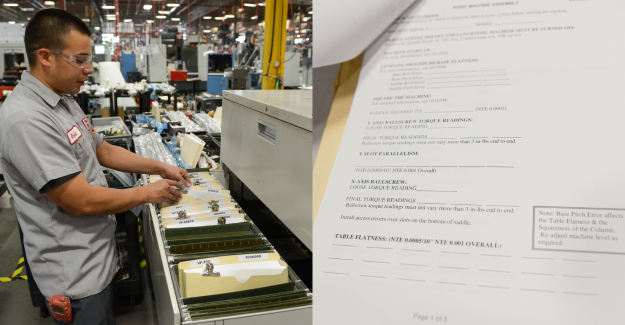
Reference photo of installed guard fasteners
ATTACHED EVIDENCEGuard reference.jpgLinked to this step
Supervisor sign-off Pending
 
Illustrative record · Entries stay in this browser session.
EVIDENCEReference photo attachedObservation and review stay together
10 / INTEGRATIONS & VISIBILITY

Integrations & Visibility

Connect the standard
to the operational record.

Bring approved knowledge into the systems your teams use to manage work. Keep the procedure connected to the equipment, activity, and records that give it meaning.

Carry useful context across the systems that manage work.

A procedure, an equipment record, and a work order each describe part of the same operation. Connecting those references helps teams move between the standard and the activity it supports. Shared identifiers and linked records give reviewers a practical way to understand the work without treating each system as a separate source of context.

  • Procedure links in operational workflows
  • Shared equipment and work context
  • Connected records for wider visibility
View the connection details
Asset record
L4-008 · Packaging lineMaintenance work order · WO-1048
DConnected knowledge
WORK ORDER WO-1048

The standard travels with the work.

MAINTENANCE SYSTEM

Inspect Line 4 guard

Asset · L4-008Assigned
LINKED DOZUKI PROCEDURE

Guard inspection

Revision 12✓ Current
Shared context

Equipment and procedure reference

Connected record

Captured observations and completion

Knowledge in the context of the operational record.
SHARED CONTEXTProcedure linked to the assetEquipment ID · Revision · Work order

Your Source of Operational Truth

Raise the bar on how operational knowledge is captured, controlled, and scaled

Strengthen Operational Consistency

When procedures vary from shift to shift or site to site, quality and safety suffer. Dozuki eliminates that variability by providing a single, centralized source of truth that every worker can access, regardless of role or location.

With standardized, media-rich instructions, your teams operate with greater consistency and clarity, improving outcomes across the board.

  • Standardize best practices across teams and locations
  • Eliminate variability that leads to quality and safety issues
  • Drive consistency at scale with media-rich digital instructions
Accelerate Onboarding & Cross-Training

Speed matters when onboarding new employees or shifting team members between roles. Dozuki reduces ramp time with step-by-step instructions that support workers in the flow of work, removing the need for informal job shadowing or confusing binders.

New and rotating workers gain immediate access to clear, visual guidance that accelerates their path to productivity.

  • Minimize downtime during ramp-up and reassignments
  • Use visual content to support all literacy and experience levels
  • Guide workers with step-by-step procedures in real time
Improve Compliance & Traceability

Regulatory and internal compliance require full control over documentation. Dozuki makes it easy to manage versions, track approvals, and maintain a complete audit trail within a single platform.

You can ensure that only the most current, approved procedures are in use while meeting ISO, FDA, OSHA, or internal standards with confidence.

  • Ensure only approved procedures are in use
  • Maintain audit-ready documentation
  • Assign reviewers and track changes across roles
Enhance Workforce Agility

As production needs evolve, your workforce must stay flexible. Dozuki supports that adaptability by delivering the latest procedures across any device, in the right language, and even when offline.

You can push updates instantly to keep teams aligned, responsive, and ready to meet changing demands.

  • Translate procedures instantly for multilingual teams
  • Keep workers aligned with automated updates
  • Provide access on mobile, tablet, or workstation, in any environment
Reduce Risk & Mistakes

Clear guidance is critical for complex jobs. Dozuki enhances every procedure with visuals, safety callouts, and interactive checks to help workers follow each step accurately.

By removing ambiguity, you reduce the risk of errors, rework, and safety incidents, supporting consistent performance at every level.

  • Use photos and video to show the right way, not just tell
  • Highlight risks with visual safety warnings and cautions
  • Embed checklists, required inputs, and sign-offs to reduce missteps
Capture & Convert at Scale

Tribal knowledge and legacy documents shouldn’t slow down your operations. With CreatorPro AI, you can record expert knowledge on video and instantly convert it into standardized procedures.

Dozuki helps you transform scattered knowledge into scalable, digital instructions that support job execution, training, and compliance from day one.

  • Turn expert video walkthroughs into scalable digital instructions
  • Transform legacy documents into standardized workflows
  • Build job instruction and training content in minutes

Before and After

Before Dozuki

Inconsistent Documentation

Unstandardized formats create confusion and slow down execution across teams.

Generic Tools, Not Built for Ops

Legacy systems fail to support the pace and complexity of industrial work.
Dozuki-Knowledge-Management_Product_DKM_Before

Missing Visual Clarity

Lack of images and video leads to misunderstandings and training gaps.

Hard to Access and Edit

Paper binders and outdated systems make updates slow and access unreliable.

No Change Control

Without versioning or approvals, outdated procedures are often used in error.
After Dozuki

Standardized Digital Knowledge

Capture and share SOPs in structured, consistent formats across all authors.

AI-Powered Standard Work

Use CreatorPro AI to quickly convert expert workflows into digital instructions.
Dozuki-Operational-Workflows_Product_DOP_After

Visual-First

Embed annotated photos and video to improve clarity, comprehension, and retention.

Accessible Everywhere

Surface the right content instantly via QR codes and intuitive navigation.

Controlled Updates

Track changes, route for approval, and maintain audit history automatically.

Key Knowledge Features

 
Digital Standard Work
Create consistent, visual documentation with structured formats that are easy to follow and update.
Version History & Audit Trails
Track every change with full revision history and rollback options to maintain compliance and accuracy.
Approval Workflows
Enforce publishing standards with configurable workflows for multi-step reviews and stakeholder sign-off.
Periodic Review Scheduling
Automate content audits to ensure documentation stays accurate, compliant, and up to date.
AI-Powered
Use CreatorPro AI to turn videos and legacy documents into step-by-step digital instructions in minutes.
Rich Media Support
Embed photos, videos, markups, and file attachments to improve clarity and reduce misinterpretation.
Scheduled Releases
Schedule process updates in advance so teams can review and train before updates go live on the floor.
Machine Translation
Deliver operational knowledge in 100+ languages with instant translation and industry-specific glossaries.
Document Control
Enforce compliance with structured approvals, revision tracking, and real-time publishing governance.
“It took over 20 years to build our processes, Dozuki standardized it in just weeks.”
Riley K.
Plant Manager, Mueller Water
“Operators find answers 55% faster, right at the machine.”
Carlos P.
Director Continuous Improvement, Costa Farms
“What took hours now takes 5–10 minutes with CreatorPro AI.”
Ed S.
L&D Business Partner, Blue Buffalo
The Dozuki Connected Worker Platform The operational layer that connects frontline teams with leadership
Frontline Teams
OperatorsRun the processes
TechniciansKeep equipment reliable
Warehouse TeamsMove and manage materials
Field WorkersExecute work in the field
SupervisorsCoach teams and reinforce standards
Issues & Breakdowns Process Gaps Near Misses Observations & Ideas Tribal Knowledge Shift Handover
One continuous loop. Every shift. Every site. Every day. Better work. Better decisions. Better results.
The Leading Connected Worker Platform

Build the Digital Frontline

Knowledge management and workforce agility starts with Dozuki