Operational Workflows

Your standards.
In every action.

Guide the task, capture the evidence, and keep every shift connected to the way work should be done.

Guide the task. Capture the evidence. Keep work moving.

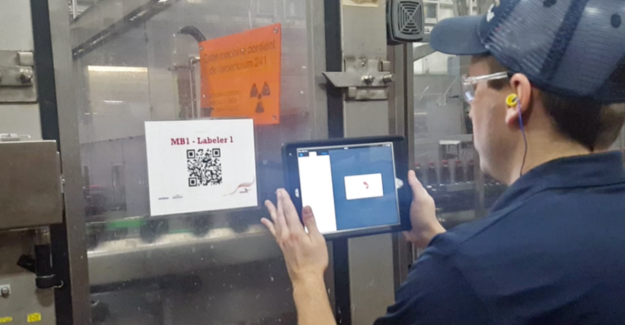
Manufacturing colleagues working with digital guidance on the factory floor
DLine 4 startup•••
WO-1048 · INSPECTION
Guard inspection referenceSTEP 3 / 5
Fixture positionVerified
Guard fastenersVerified
Quality measurement24.8 mm
Explore the workflow →
✓
Current standard. Traceable execution.Revision 12 · North Plant

AI-Powered Workflows that Work

Digitized workflows drive traceability, eliminate errors, and improve production efficiency, leading to measurable time and cost savings.
ArrowDown
75%
Reduction in paper processes
$62k
Downtime savings
ArrowUp
80%
Faster sign-offs
01 / Digital forms

Digital Forms

Make quality part of the step.

Build the check into the task, where the context is still clear. Capture the measurement, supporting evidence, and required verification in one execution record.

Give every check a place in the execution record.

A quality check is easier to interpret when it is captured beside the instruction that prompted it. Digital forms bring measurements, observations, and supporting evidence into the task. Reviewers can see the response in context and understand which verification is still required, helping the team move from collecting information to following through on it.

  • Capture measurements and observations in context
  • Keep photo evidence alongside the response
  • Require a second check at critical steps
→   Enter a measurement and record the check
Inspection record
WO-1048 · Quality checkRequired measurement · Step 3 of 5
DDigital forms•••
NORTH PLANT

Verify the inspection.

WO-1048 · STEP 3 OF 5
Reference guard inspectionREFERENCE · TWO FASTENERS

Accepted range: 24.5–25.5 mm

Enter a value and confirm the inspection.
ACCEPTANCE CRITERIA24.5–25.5 mmMeasurement · Evidence · Verification
02 / Connected data

Connected Data

Let the record travel.

A completed job can inform more than the next shift. Keep execution evidence connected to the production, maintenance, and reporting records that give it meaning.

Keep the evidence useful beyond the completed task.

A frontline response can help explain an equipment condition, production event, or maintenance need. Connected records preserve the relationship between that response and the systems used to manage the operation. With identifiers and timing carried alongside the evidence, teams have a clearer starting point for tracing an issue and coordinating the next action.

  • Connect execution data with operational systems
  • Preserve identifiers and timestamps for traceability
  • Give teams a shared record to investigate
→   Switch the connected destination
Production record
Packaging inspectionWO-1048 · Procedure revision 12
DConnected execution•••
NORTH PLANT

One record. More context.

DOZUKI WORK ORDER

WO-1048 · Packaging inspection

Procedure Rev 12 · 5 checks · 1 observation

↓
Production recordLinked
Maintenance logLinked
Reporting datasetAvailable
Inspect record mapping
Captured field Destination
Work order ID Job reference
Inspection response Quality observation
Completed at Event timestamp

Production record

RECORD MAPPINGOne work order, shared contextResponses · Timestamp · Asset ID
03 / Worker access

Worker Access

A clear task. A clear owner.

Give each worker a focused view of the tasks relevant to their team. Keep the approved instruction and the required review close to the assignment.

Help people see what is theirs to do next.

A shared work queue becomes useful to a worker when the relevant task, instruction, and checkpoint are easy to recognize. Site and team context keep assignments focused. Bringing the current standard and required review together helps workers prepare for the task and understand what needs to happen before the job can move forward.

  • Organize work by site and team
  • Keep current instructions with each task
  • Make supervisor review requirements visible
→   Switch the workspace
Manufacturing colleagues working with digital guidance on the factory floor
DMy workspace•••
NORTH PLANT

The work that belongs to you.

NORTH PLANT / PACKAGING TEAM

Line 4 startup

Morgan · Day shift

Assigned
  1. Open approved instructionsRevision 12
  2. Complete required checks5 checkpoints
  3. Supervisor reviewRequired before release
View access context

Workspace: North Plant
Team: Packaging
Release review: Shift supervisor

North Plant

Operational Workflows / YOUR OPERATIONAL FOUNDATION

Bring control and visibility
into everyday execution.

Connect instructions, quality checks, and work records so teams can coordinate tasks and understand what happened across the operation.

DOperator view
Morgan LeeOperator · Assembly team
Operator view · Revision 1.1
ASSIGNED WORK / WO-1048

Start with the approved checklist.

Observe workplace safety or verify a finished product against its quality specifications.
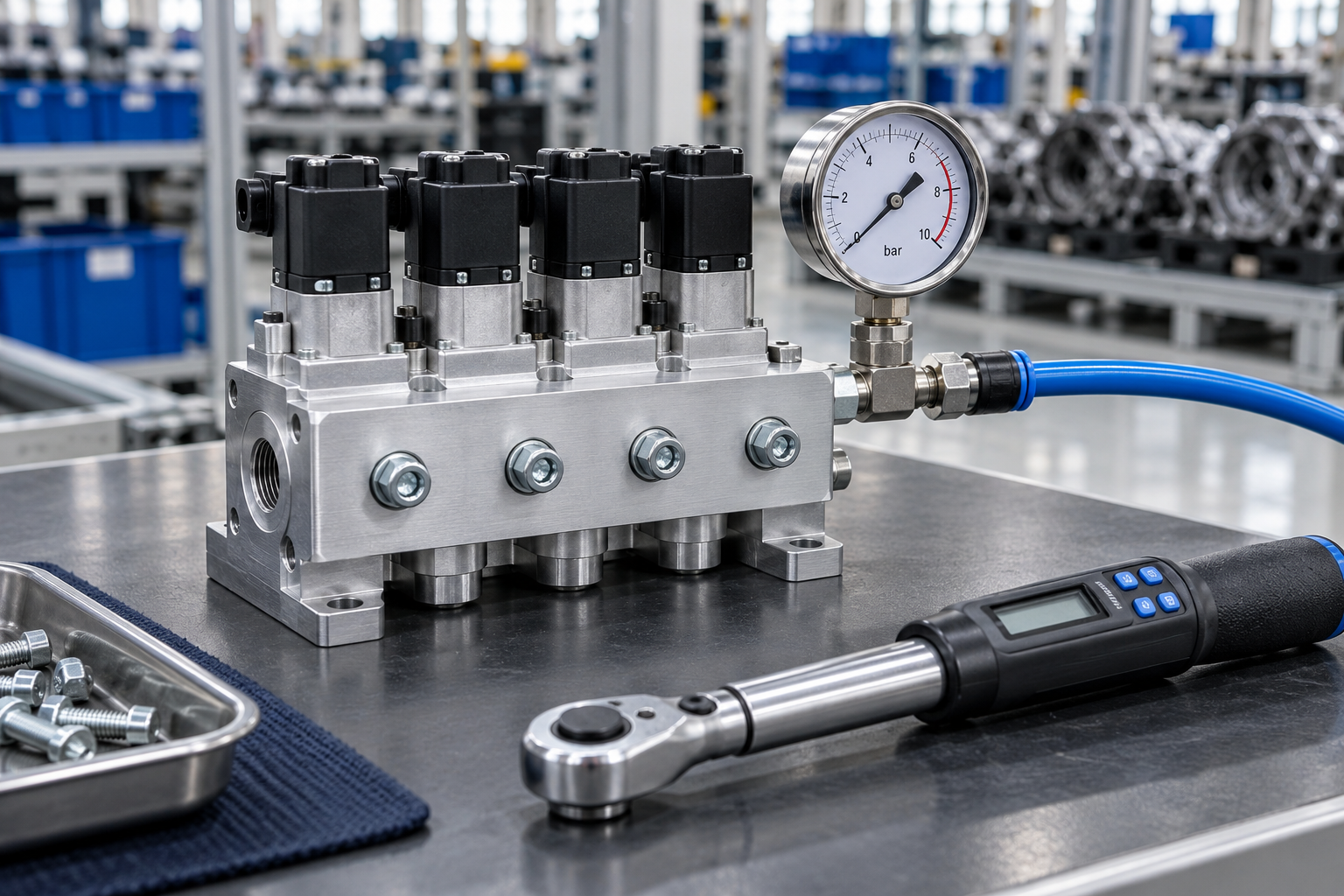
Finished pneumatic valve assembly with pressure gauge and torque wrench

Your work, step by step.

01 · Identify the work
02 · Record actual findings
03 · Sign off with a traceable record
Ready to begin.
EXECUTIONMake the task clear

Bring approved guidance and assignments together so workers can follow the standard in the context of the job.

QUALITYBuild verification into the work

Capture measurements and observations at the relevant step, with required checks and supervisor sign-offs where they are needed.

TRACEABILITYKeep the evidence connected

Link responses, process timing, and work-order activity to the records teams use for review and reporting.

04 / Offline access

Offline Access

Keep going beyond the signal.

The connection should not determine whether the record gets captured. Make downloaded guidance available and retain responses until connectivity returns.

Support the job through changes in connectivity.

Field work and remote areas do not always have a dependable connection. Downloaded procedures give workers a reference they can use while disconnected, and saved responses retain the observations made during the task. When connectivity returns, synchronization brings those captured records back into the wider workflow so the evidence can be reviewed.

  • Access downloaded procedures at the point of work
  • Save observations while disconnected
  • Sync captured records when back online
→   Reconnect the sample job
Downloaded procedures
Pump inspectionRevision 7 · Available on device
DMobile work•••
NORTH PLANT

Keep the record moving.

Offline · saved on device

Pump inspection

Downloaded procedure · Rev 7

Condition checkSaved locally
Photo evidenceSaved locally
Operator responseSaved locally
See what happens when reconnected
3 saved responsesSynced
Job recordUpdated

Illustration of reconnection; no network or product data is sent.

Offline record

LOCAL RECORDObservations retained on deviceResponses · Photo evidence · Operator
05 / Workflow management

Workflow Management

Know what is moving.

See which jobs are active, waiting, or complete without chasing updates across the floor. Open the work behind a status to understand the next checkpoint.

Make the next checkpoint easier to coordinate.

A status tells a supervisor where to look; the underlying job explains what needs attention. Workflow visibility brings active tasks and review checkpoints into a shared view. Teams can identify work waiting for a decision, inspect the procedure context, and coordinate follow-up with the people responsible for moving the job forward.

  • Track work across teams and shifts
  • Find jobs waiting for review
  • Keep checkpoints connected to the procedure
→   Filter the work-order queue
Shift overview
North Plant · PackagingDay shift · Work-order activity
DWorkflow management•••
NORTH PLANT

A clear view of every job.

8Active jobs
2Awaiting review
14Completed today
Work order Owner Status
WO-1048 Morgan In progress
WO-1047 Sam Review
WO-1046 Taylor Complete
Open WO-1048
  1. SetupComplete
  2. InspectionStep 3 of 5
  3. ReleaseAwaiting verification

All work

REVIEW QUEUETwo jobs awaiting reviewSupervisor checkpoint · Linked evidence
Operational Workflows / BUILT FOR OPERATIONAL SCALE

Coordinate the work.
See what needs attention.

Give the operation a shared view of execution, with clear responsibilities and evidence that supports follow-through.

CONSISTENCYStandards carried into execution

Keep critical instructions and verification requirements close to the task, helping teams follow a repeatable method.

VISIBILITYA clearer view of progress

See active work and pending checkpoints so supervisors can focus attention where a task needs support.

COORDINATIONBetter context across handoffs

Preserve the observations and review status that the next team needs to understand the job.

06 / Task coordination

Task Coordination

Start the shift prepared.

Build recurring inspections into the rhythm of the operation. Link the schedule to a responsible team, the right instructions, and a completion record.

Build repeatable work into the operating rhythm.

Routine inspections and maintenance checks need more than a reminder. They need a responsible team, approved guidance, and a record of completion. Coordinating those elements helps each occurrence start from a consistent reference and gives supervisors a history they can review when preparing the next shift or investigating a missed check.

  • Schedule repeatable maintenance and checks
  • Carry approved instructions into each task
  • Keep a visible history of completion
→   Change the scheduled shift
Inspection schedule
Daily packaging startupNorth Plant · Every weekday
DTask coordination•••
NORTH PLANT

Ready for the next shift.

RECURRING INSPECTION

Daily packaging startup

13OCT
06:00

Every weekday · North Plant

Assigned toDay shift
InstructionsRev 12
Completion logRequired
View the next occurrence

October 14 · 06:00
Same team, approved procedure, and required checks.

Day shift

NEXT OCCURRENCEOctober 13 · 06:00Assigned team · Current procedure

Power Smarter Execution

Deliver consistent results by aligning daily execution with your best-known standards

Keep Work on Track

When procedures live in binders or PDFs, execution slows down. Dozuki turns standard work into digital workflows, so every task is performed faster and more reliably.

Instead of relying on memory or outdated instructions, teams follow step-by-step digital guidance that keeps them aligned and on pace, no matter the complexity of the job.

  • Replace manual processes with smart workflows
  • Embed standards at the point of use
  • Eliminate delays caused by unclear or outdated procedures
Minimize Delays with Real-Time Visibility

Delays compound when there’s no visibility into what’s happening on the floor. Dozuki provides real-time insight into task progress, blockers, and sign-offs.

Supervisors and leads can intervene early, clear bottlenecks, and keep production flowing without waiting for paperwork or in-person check-ins.

  • Monitor job status, process timing, and sign-offs live
  • Prompt proactive actions for blockers
  • Keep jobs moving without unnecessary stoppages
Enforce Standards at Every Step

Quality isn’t just a final inspection step, it needs to be built into every part of the process. Dozuki embeds quality checks directly within workflows, so standards are followed and verified in real time.

Required approvals and inspections are tied to specific roles and tasks, helping you prevent issues instead of reacting to them.

  • Tie inspection steps to work procedures
  • Require sign-offs and approvals based on roles
  • Create audit trails for quality-critical processes
Improve as You Operate

Operational improvement is a moving target. Dozuki gives you the data to keep improving by tracking how tasks are performed in the real world.

Execution metrics flow into improvement cycles, empowering teams to identify friction, reduce waste, and refine processes across shifts and locations.

  • Track task timing and bottlenecks
  • Feed process metrics into improvement cycles
  • Empower teams to implement changes fast
Align Workers to Outcomes

When responsibilities are unclear, performance suffers. Dozuki brings clarity to every job by documenting expectations and tracking performance automatically.

Supervisors can monitor how work is executed, compare results by team or site, and drive accountability across the board.

  • Make every role’s responsibility clear
  • Track adherence by site, shift, or team
  • Tie actions to performance and output
Replace Paper with Real-Time Execution

Paper slows everything down. Dozuki transforms SOPs into interactive workflows that guide work and collect data in real time.

With digital jobs, steps aren’t just tracked, they’re verified. The result is faster, smarter execution with full traceability from start to finish.

  • Convert SOPs into interactive digital jobs
  • Ensure steps are completed and data captured
  • Make execution auditable and scalable

Before and After

Before Dozuki

Paper-Based Processes

Manual forms are slow, error-prone, and difficult to track or analyze.

Missed Quality Checks

Key steps are skipped or ignored without enforced validation.
DOW-Before

Disorganized Work Orders

Paper records get lost, making it hard to trace accountability.

Bottlenecked Sign-Offs

Supervisors rely on manual approvals that delay execution.

Disconnected Systems

Data is trapped on paper or spread across non-integrated tools.
After Dozuki

AI-Powered Digital Workflows

Workers complete forms, checklists, and work orders on one connected platform.

Enforced Quality Controls

Required fields and checkpoints eliminate missed steps and reduce errors.
DOW-After

Real-Time Reporting

Standardized digital logs improve traceability across shifts and roles.

Instant Sign-Offs

Supervisors review and approve directly within the workflow.

Integrated Data Flow

Captured data syncs to external systems like QMS, MES, and CMMS tools.

Key Workflow Features

Digital Forms
Replace paper with digital forms to capture production data, checklists, and quality steps in real time.
Real-Time Deviation Escalation
Surface problems instantly with built-in issue reporting that alerts supervisors and tracks resolution.
Stage-Gated Processes
Enforce required steps with digital checkpoints that prevent skipping critical quality or safety procedures.
Work Order Execution
Standardize daily tasks and ensure timely, consistent execution across shifts and teams.
Supervisor Sign-Offs
Digitally verify completed work with built-in approval steps for accountability and compliance.
Task Coordination
Assign, schedule, and track recurring operational tasks to keep daily execution on point.
Embedded Instructions
Embed visual work instructions and reference material directly into workflows to reduce error rates.
Data Integration
Sync form inputs and task data to your MES, QMS, or LMS systems for full traceability.
Audit-Ready Records
Automatically log and organize job history, sign-offs, and completion records for audit readiness
“We cut scrap by 60%. Dozuki helps us get it right the first time.”
Sean C.
Training Director, Mueller Water
“We improved audit scores by 75%.”
Troy R.
Learning Leader, Blue Buffalo
“Operators find answers 55% faster, right at the machine.”
Carlos P.
Director Continuous Improvement, Costa Farms
The Dozuki Connected Worker Platform The operational layer that connects frontline teams with leadership
Frontline Teams
OperatorsRun the processes
TechniciansKeep equipment reliable
Warehouse TeamsMove and manage materials
Field WorkersExecute work in the field
SupervisorsCoach teams and reinforce standards
Issues & Breakdowns Process Gaps Near Misses Observations & Ideas Tribal Knowledge Shift Handover
One continuous loop. Every shift. Every site. Every day. Better work. Better decisions. Better results.
The Leading Connected Worker Platform

Build the Digital Frontline

Streamlined workflows and operations starts with Dozuki